File permissions can be viewed and changed through either the cPanel File Manager or most FTP programs. We'll walk you through viewing and changing your permissions through the cPanel File Manger here.
File permissions in the cPanel FIle manager will be represented by numbers instead of letters. The numbers are as follows:
7 = read, write, execute
6 = read, write
5 = read, execute
4 = read only
3 = write, execute
2 = write only
1 = execute only
0 = Access Denied
6 = read, write
5 = read, execute
4 = read only
3 = write, execute
2 = write only
1 = execute only
0 = Access Denied
Let's look at an example below:
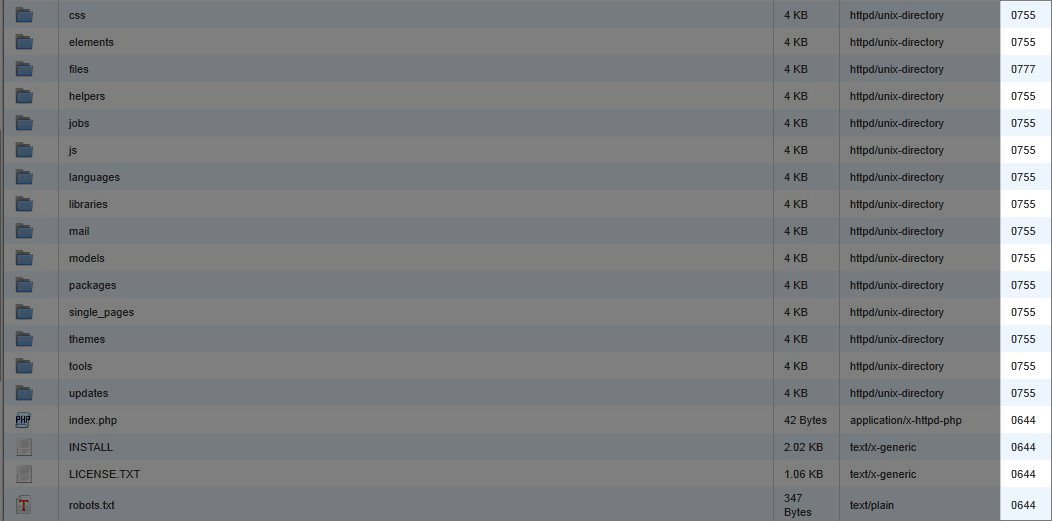
In the image above you can see the permissions for each file listed on the right side of the screen. Probably the most important thing to keep in mind is that certain file types and folders should be set to particular permissons. Below are some examples:
public_html - 750
Folders - 755
CGI and Perl scripts - 755
.html .php and other Document Types - 644
Folders - 755
CGI and Perl scripts - 755
.html .php and other Document Types - 644


No comments:
Post a Comment